Express trips, partial trips, stop cancellations
Summary
Several new data points have arrived in your GoTrack schedule: markings for express trips, showing partial trips, and cancelled stops.
Express trips
GoTrack has always given you the data that you need to determine if a trip runs express between your origin and destination stations, but now we’re making it a lot more explicit.
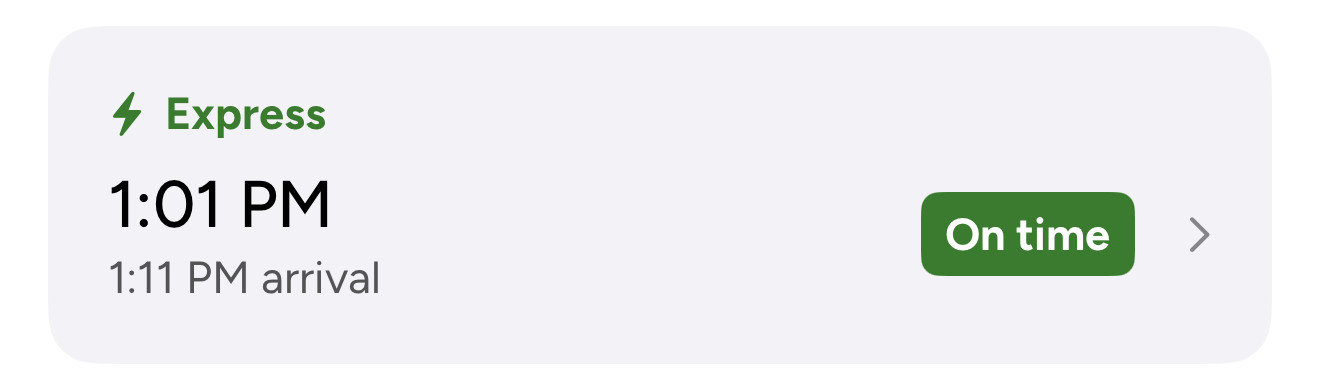
This should help you quickly identify those trips that will get you to work or home faster without counting stops or comparing trip durations.
Note that trips are considered express if they run directly between the origin and destination in your current schedule without stopping and the origin and destination are not usually adjacent on the line.
Partial trips
Partial trips are those that leave your origin station in the correct direction but do not arrive at your destination. They get you part of the way there, but not all the way. Like express trips, these are clearly flagged on your schedule view.
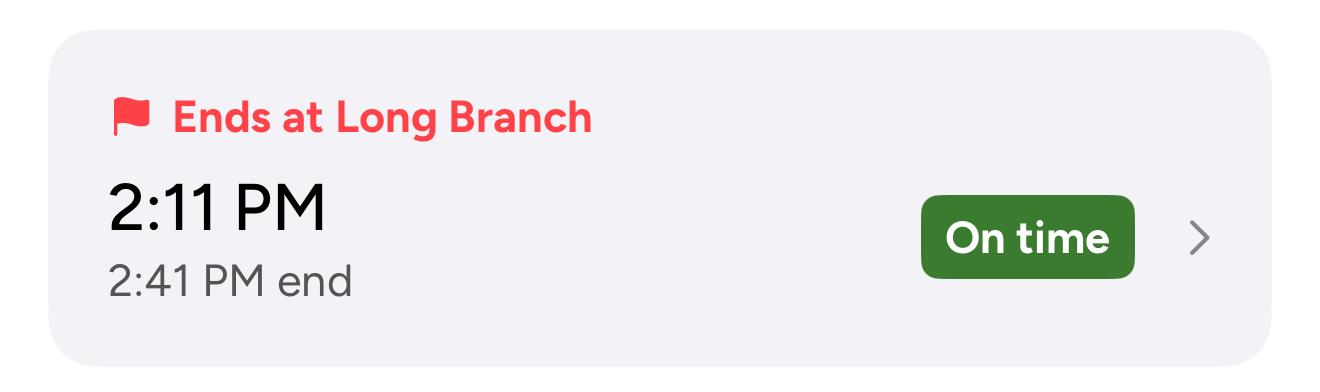
Why would you want to see a trip that doesn’t get you to your destination? Seeing partial trips can allow you to:
- Take a trip that gets you closer to your destination and then find alternative travel.
- Rule out trips that might look promising on the station board.
- Better understand how trips end at stations which are very close together and are mutually exclusive, such West Harbour and Hamilton on the Lakeshore West line.
If this is not useful to you, you can easily hide partial trips in the settings tab.
Cancelled stops
The trip details view shows every stop that a trip makes on its way to your destination. But sometimes, stops are cancelled by GO individually while the entire trip still runs. This information is now displayed clearly on the stops list.

Feedback
Thank you for being a GoTrack subscriber. If you have any questions or concerns, please email us any time. We’re usually able to respond within a few hours.